Expand your smart phone or tablet’s job description with apps that turn it into a tool kit, remodeling guide, and all-around design assistant. Here are 11 apps we’ve found extremely useful:
(Discovered any home design or remodeling apps you’ve found indispensable? Share your finds in the comments section below.)
Design Tool Apps
1. iHandy Carpenter
Above: No need to lug measuring tools: the iHandy Carpenter App includes two types of levels, a ruler, protractor, and a plumb bob (a tool that verifies the verticality of lines or walls). The iHandy Carpenter App for iPhone and iPad and the iHandy Carpenter App for Android are both $1.99.
2. Photomeasures
Above: If you’re like me, you pull out the measuring tape and jot down figures on a sticky note to take shopping or pass along to your contractor. Inevitably, the note gets lost or mixed in with the other crumpled notes at the bottom of your bag–or you just plain forget exactly which measurements belong to what. Instead, consider using Photomeasures, an app that allows you to take a photo of a space and draw the measurements directly on it. You can also add notes (“thinking sofa could go here”). Brilliant, eh? The Photomeasures App for Android is $4.99 (a free Photomeasures Lite for Android version is also available). The Photomeasure App for iPhone and iPad is $6.99.
Above: Whether you want to rearrange your furniture or create a draft of your ideal kitchen layout before meeting with your architect, there are several apps available for creating floor plans, including the highly-rated Home Design 3D ($5.99) and Home Design DIY–Mark on Call ($2.99), both for the iPhone and iPad.
5. Sun Seeker
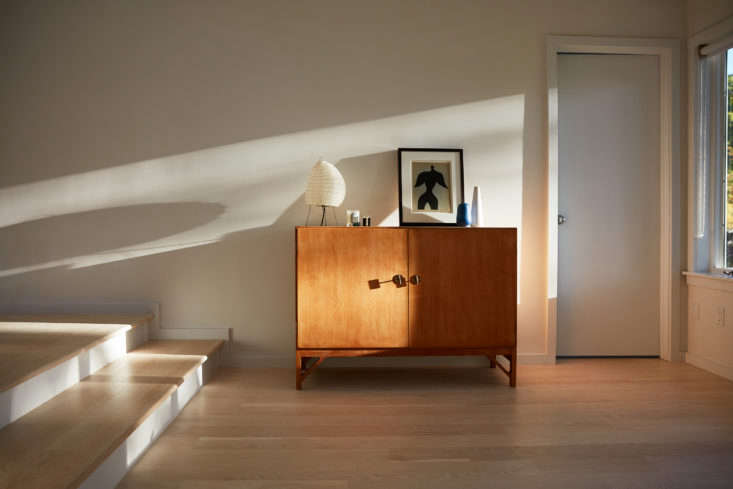
Above: A tool for helping with the placement of lighting, artwork, work tables, and other items dependent on lighting conditions, the Sun Seeker app is recommended by architect John Maniscalco, a member of the Remodelista Architect/Designer Directory. “Using the GPS in the phone, you can stand on a site, move the phone across the sky and it will show you where the sun will be located at various times of day and times of year. It’s very useful for understanding site conditions and daylighting.” The Sun Seeker App for Android is $7.49 and the Sun Seeker App for iPhone and iPad is $9.99. Image by Jonathan Hokklo.
6. Handy Man
Above: Wish you had a handyman to help figure out how much paint or carpet you need? The Handy Man Calculator for Android (free) helps calculate room dimensions, square footage, and costs. The app also offers shopping and task lists, as well as DIY tutorials. (The Handy Man DIY for iPhone and iPad is currently unavailable in the US.)
7. I.D. Wood
Above: Stumble across your dream wood floors at a restaurant? Use the I.D. Wood App for iPhone and iPad ($4.99) to help identify the wood and find out if it’s applicable to your setup.
8. Taskrabbit
Inspiration Apps
9. Pinterest
Above: Pinterest is perhaps the most useful and well-known source for design inspiration. The app allows you to pin photos while browsing on your mobile device and easily access your Pinterest account and all the clippings you’ve already saved and organized. It’s a great resource for planning projects and sharing your image inspiration on the go–shown here, a peek at my Pinterest kitchen board. The Pinterest App for iPhone and iPad and the Pinterest App for Android are both free.
10. Phaidon Design Classics
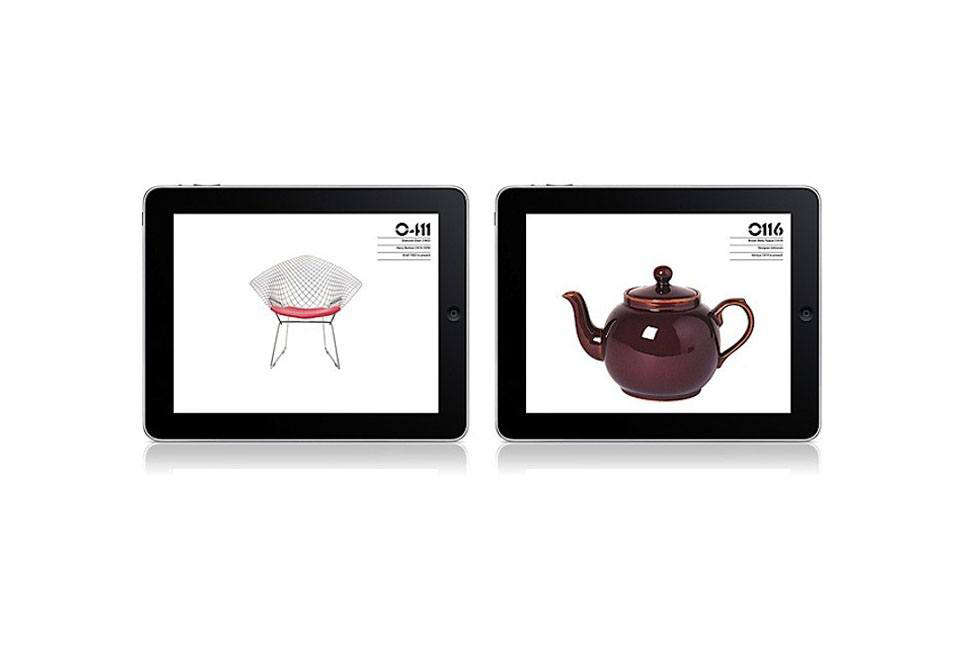
Above: Phaidon Design Classics App for iPhone and iPad ($14.99) puts Phaidon’s three-volume illustrated history of 1,000 timeless product designs at your fingertips in an easily navigable app. A product design encyclopedia tucked into your mobile device.
11. Color Capture
Above: Paint manufacturers have jumped on the bandwagon with paint color apps that are fun and inspiring. Benjamin Moore’s Color Capture App for iPhone and iPad (and Color Capture for Android) allows you to snap a photo of a color inspiration and get the match from Benjamin Moore’s paint colors. Both versions are free.
Buyer beware! Philip Reno, owner of G & R paints and creator of Philip’s Perfect Colors, warns that while paint color apps can be used as an inspirational tool, their utility beyond that is limited. “None of them have the capability to accurately represent paint colors as they are in the real world,” Reno says. “The difference between the emitted light from a screen display and the reflected light of paint on a wall has not been satisfactorily bridged to date. Paint color is so subtle, it’s just one of those things you have to see to appreciate.”
What is the purpose of design apps for remodelers?
Design apps for remodelers are intended to help them visualize the result, share their plans, and make informed decisions while working on a home renovation project.
How can I benefit from using design apps for home renovation?
Design apps for home renovation can help you to make effective decisions, communicate design plans to your contractor, and even preview the end result in a 3D model. You can also experiment with different design elements and layouts before starting the renovation.
Are there any user-friendly design apps available for remodelers?
Yes, there are many user-friendly design apps available for remodelers such as Houzz, Home Advisor, and MagicPlan. They offer easy-to-use features including drag-and-drop functionality and intuitive navigation.
Are design apps only useful for a major renovation?
Design apps are equally useful for a small renovation or DIY project. They can help you decide on color schemes, tile designs, furniture placement and more.
Can I use design apps to create a rough budget for my renovation project?
Yes, most design apps offer features to help you price out materials, and some even provide actual products and prices so you can create a rough budget.
What type of devices are compatible with design apps?
The majority of design apps are compatible with both iOS and Android devices.
This error message is only visible to WordPress admins
Error: No connected account.
Please go to the Instagram Feed settings page to connect an account.
v5.0
×
Join the Remodelista Family of Websites
Become a Member at no charge
When you register as a free Member of the Remodelista family of websites (Remodelista, Gardenista, and The Organized Home), you gain access to all current posts plus 10 archived posts per month, our internal bookmarking tool, and the community bulletin board.
Access 10 archived posts (older than one year) per month on each site
Use of our internal bookmark tool, so you can save products, posts, and other pages for quick reference
Access to our community bulletin board so you can ask and answer design-related questions
Unlimited access to the Product Catalogs, Design Travel sources, and Architect & Designer Directory listings
Choose from our ten newsletters to keep up with the latest on the sites
Or Subscribe for Maximum Value!
For $5/month ($59.99 paid annually) you'll enjoy unlimited, ad-free access to Remodelista, Gardenista, and The Organized Home and all the benefits of Membership.
Annual subscribers pay 50% off the monthly subscription price of $9.99
×
Subscribe to the Remodelista family of websites
For $5/month ($59.99 paid annually) you'll enjoy unlimited, ad-free access to Remodelista, Gardenista, and The Organized Home and all the benefits of Membership.
Annual subscribers pay 50% off the monthly subscription price of $9.99
×
Sorry! As a registered member you get 10 free posts from our archive (posts more than a year old) every 30 days. You have reached your limit for this 30-day period. If you would like to access unlimited posts from the archive (ad free, too), become a subscriber today, and keep reading as many articles as you want.
Full Access Individual Subscription
Benefits include:
Unlimited access to Remodelista, Gardenista, and The Organized Home sites
Ad-free browsing environment
Unrestricted access to 30,000+ archived posts
Receive the full-text daily newsletters
All features that Members have access to
Annual subscribers pay just 50% off the monthly subscription price of $9.99
Sorry! You have reached your limit of three (3) free posts from our archive every 30 days. You can increase this to 10 posts by joining as a free Member, or read unlimited posts with no ads by becoming a paid Subscriber.
Subscribe to the Remodelista family of websites
For $5/month ($59.99 paid annually) you'll enjoy unlimited, ad-free access to Remodelista, Gardenista, and The Organized Home and all the benefits of Membership.
Annual subscribers pay 50% off the monthly subscription price of $9.99
Become a Member at no charge
When you register as a free Member of the Remodelista family of websites (Remodelista, Gardenista, and The Organized Home), you gain access to all current posts plus 10 archived posts per month, our internal bookmarking tool, and the community bulletin board.
Congratulations on becoming a Subscriber to Remodelista, Gardenista and The Organized Home! You now have access to many great features across the sites:
Unlimited access to all three sites
Ad-free browsing environment
Unrestricted access to 30,000+ archived posts
Receive any of the newsletters, including the the full-text daily Remodelista and Gardenista newsletters
Use of our internal bookmark tool, so you can save products, posts, and other pages for quick reference
Access to our community bulletin board so you can ask and answer design-related questions
Congratulations on joining as a free Member of Remodelista, Gardenista and The Organized Home! You now have access to many great features across the sites:
Access to all posts published in the past year
Access 10 archived posts (older than one year) per month on each site
Use of our internal bookmark tool, so you can save products, posts, and other pages for quick reference
Access to our community bulletin board so you can ask and answer design-related questions
Unlimited access to the Product Catalogs, Design Travel sources, and Architect & Designer Directory listings
Choose from our ten newsletters to keep up with the latest on the sites
If at any time you want to become a Subscriber and enjoy unlimited, ad-free access to all our content, just go to the My Account link and choose Subscribe.
We use cookies to ensure that we give you the best experience on our website. If you continue to use this site we will assume that you are happy with it.




 Above: The AutoDesk Homestyler app allows you to experiment with paint colors, furnishings, and layouts using photos of your choosing. It’s a great way to “try on” before making big decisions. The AutoDesk Homestyler for iPhone and iPad and the AutoDesk Homestyler for Android are both free.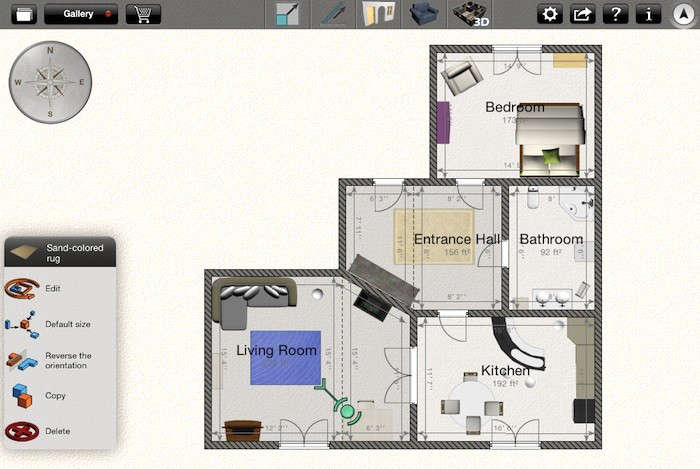





Have a Question or Comment About This Post?
Join the conversation